
Turn real attacks into prevention training.
Automatically launch realistic phishing, vishing, smishing and deepfake simulations based on each employee’s role, risk level, department and previous behavior.
.avif)
.avif)
.avif)
.avif)
.avif)

.avif)





1 in 3 employees clicks a phishing link. Attack simulation fixes that.
Smart prevention training can save a business millions
Autonomous attack simulations
Recreate the attacks employees actually face, automatically personalized by role, behavior and risk.
Role-based training
Simulations and training courses can be set according to role, team or individual. Ensuring relevant training for each individual.
Multi channel simulations
Attackers don't stop at emails, neither should you. Send out phishing, smishing, and vishing simulations
Slack & Teams delivery
Get your training delivered in your channel of choice. Short lessons via Slack or Microsoft Teams.
How attack simulations work
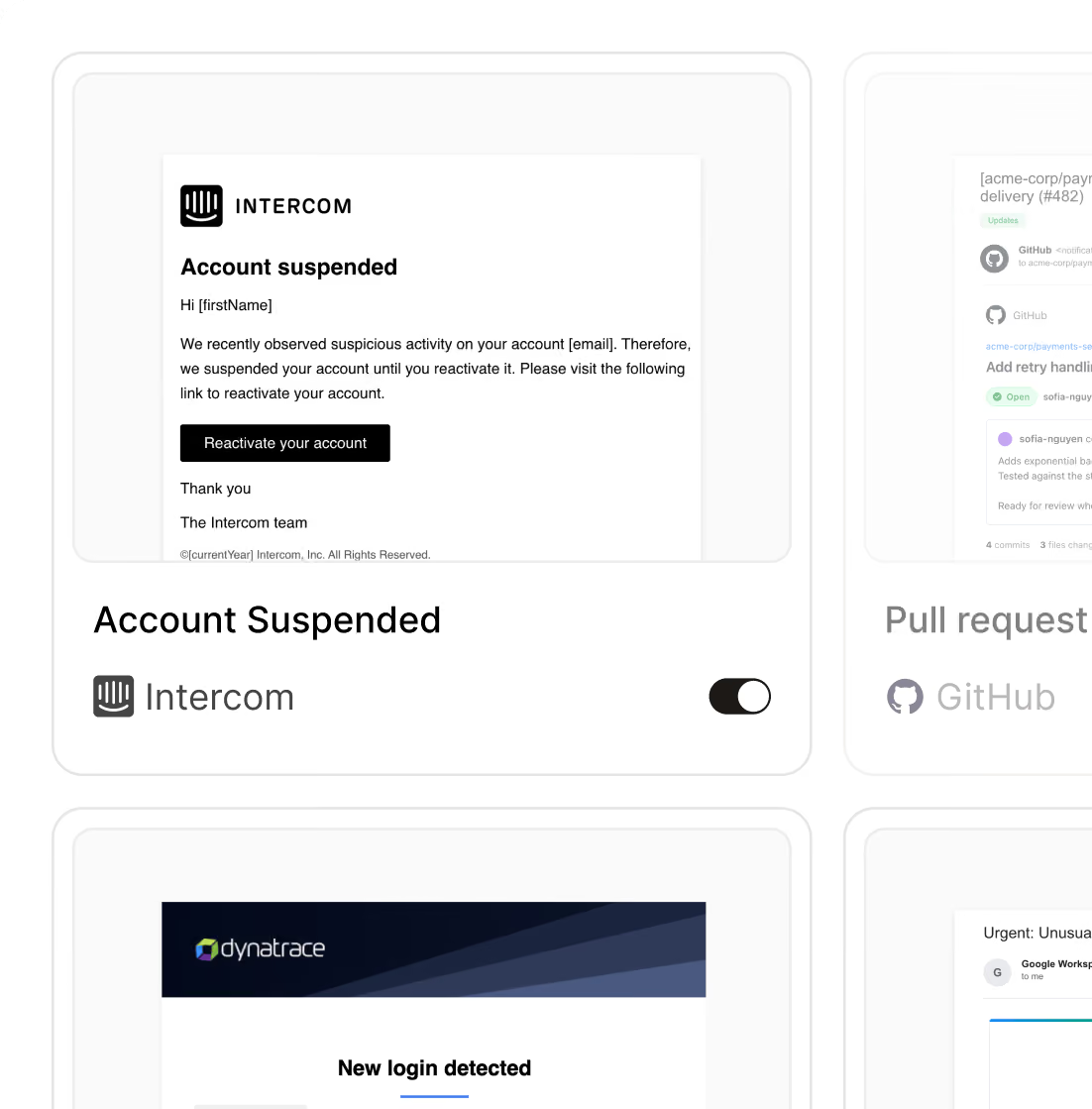
Select your simulation
Campaigns are selected automatically based on role, risk level and past behavior. Pick your own scenario when you want to.
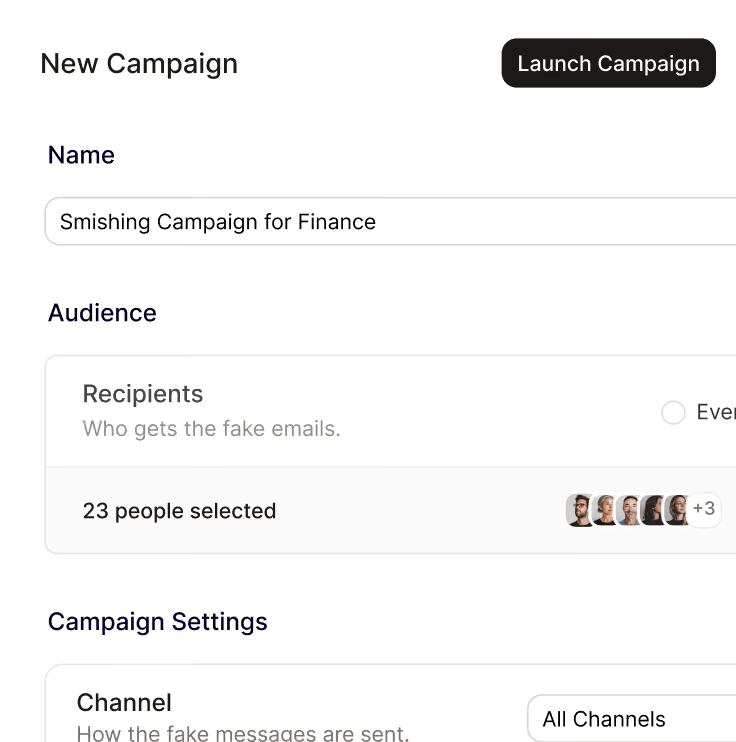
Send out a fake attack
Pick who gets tested and send a fake phishing email, text or chat message. It looks and feels like a real attack.
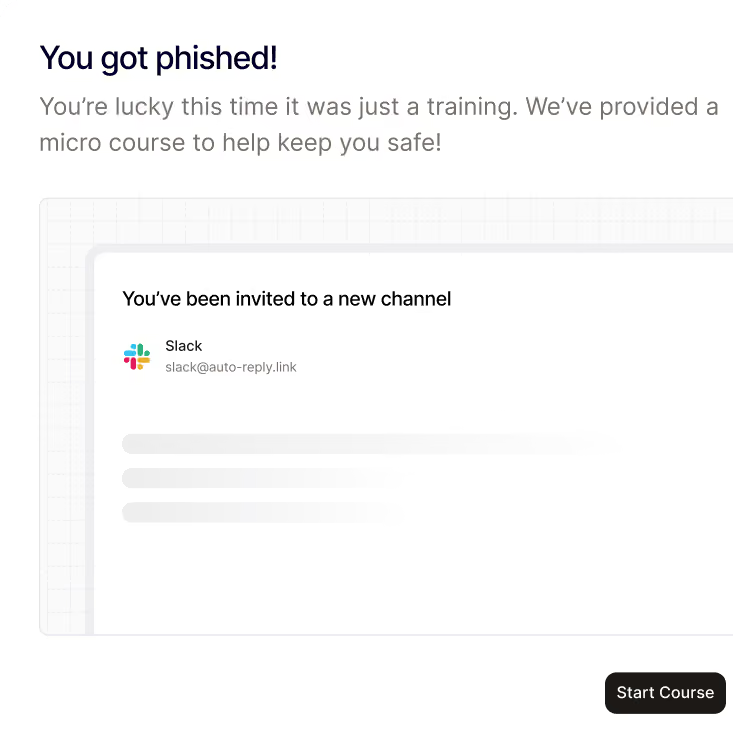
Retrain who gets compromised
Anyone who clicks finds out right away and gets a short unique course to help them spot phishing attempts next time.
Train your team, exactly when they need it the most.
Just-in-time training.
When someone fails, Noon delivers follow-up training and remediation on the spot.
Stays short, direct & private
The lesson is short and it is private. The point is that the next email they see is the real one and they know what to do.
Tailored to the job.
Train employees on attacks specific to their role. Finance learns to spot the fake invoice. HR receives the suspicious salary change request.
Training for SOC 2, ISO 27001, NIS2 and PCI DSS.
Get compliant faster, stay compliant on auto-pilot.
Training that’s ongoing.
New people get a course when they start. Everyone gets a short one every month.


Your workforce, secured by noon
Be first to protect your people and their devices with Noon.
Frequently Asked Questions
Questions about getting started with Noon Security, phishing, Shadow AI or general employee security
What kinds of attacks can I simulate?
What kinds of attacks can I simulate?
Fake login pages, malicious attachments, app access requests, impersonation, fake invoices, and QR code phishing. You choose the method, the audience, and which vendors the templates can imitate. You can also leave out attachment simulations.
What results do I see?
What results do I see?
Who opened the email, who was phished, and who reported it, plus the compromise rate and the report rate. People in the company can't see each other's results.
What happens if someone falls for it?
What happens if someone falls for it?
They land on a page explaining that the email was a training exercise. It shows the simulated email and a short lesson on the clues they missed. Each person sees only their own lesson.
How do simulations reach the inbox?
How do simulations reach the inbox?
Connect Google Workspace or Microsoft 365. Noon uses write access to place the message directly in the mailbox, so spam filters don't drop it. Without that access, Gmail treats these messages as phishing. You can build a campaign before the connection is finished, but you can't launch it until Noon can deliver mail.
What is an attack simulation?
What is an attack simulation?
A realistic phishing email sent to people in your workspace. Noon records how each person responds. Anyone who gets caught sees a short lesson about that message.