
Protect your team from AI phishing attacks.
Noon finds, verifies and blocks suspicious emails before they make it to your team.
.avif)
.avif)
.avif)
.avif)
.avif)

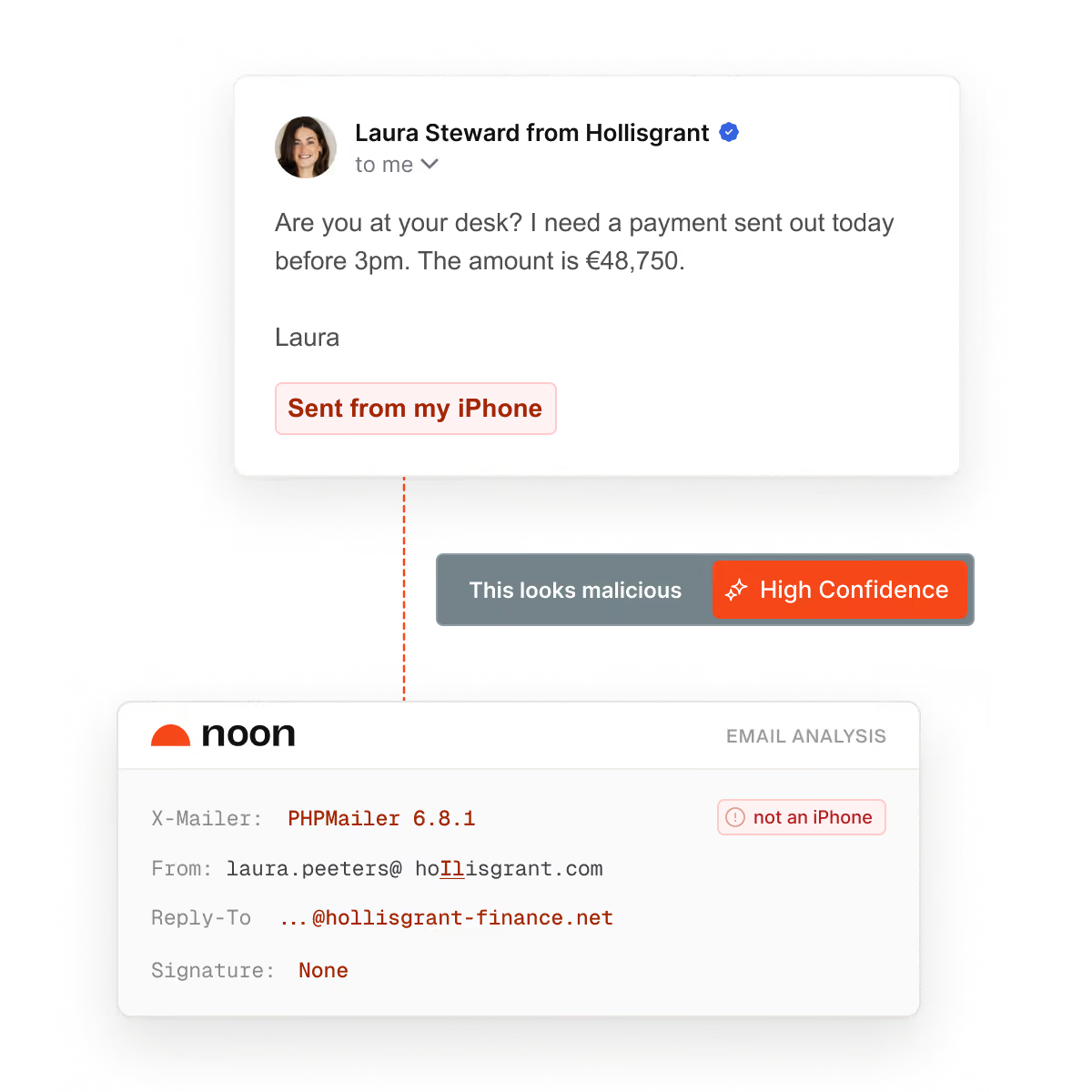





AI gives phishing superpowers that even experienced employees are fooled by
What Noon’s email protection can identify.
Payment Fraud
An attacker changes the bank details on an invoice from a supplier you pay. The amount is right, so nobody checks that line.
BEC
Someone emails your team pretending to be a colleague or a supplier. There's no link or attachment, so most email filters let it straight through.
Executive Impersonation
Someone copies your CEO or finance lead and asks someone junior to act fast. People don't question their boss.
AI Phishing
Attackers use AI to write emails with no mistakes, about your real work. The usual warning signs, like bad spelling, are gone.
Credential Theft
A fake login page built to look exactly like Microsoft or Google's. It's a perfect copy, so nothing looks wrong when you're on it.
QR Attacks
A QR code in an email leads to a fake website. Filters can't read a picture, and you scan it with your least protected device.
Account Takeover
Once an attacker has a password, they use that account to attack others. Everything looks normal, because the account is real.


“Noon helped us turn security awareness into a continuous control. Fast, relevant, and matched to how Web3 teams get attacked.”
Phil O'Neill, Head of IT
How to enable email protection

Connect your workspace
Connect Google Workspace or Microsoft 365 via API from your admin console. Setup within minutes.
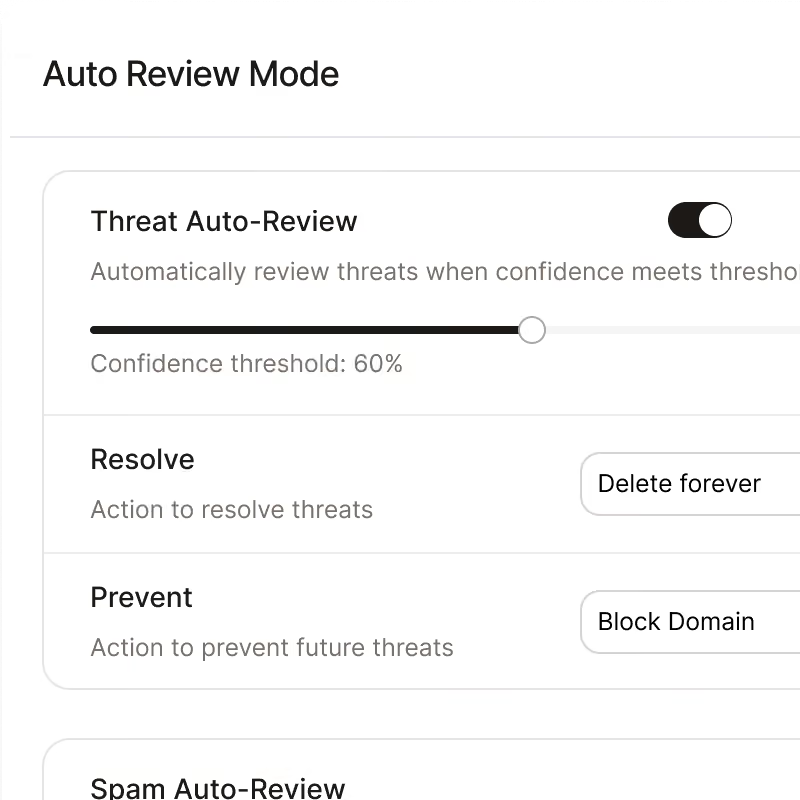
Turn on auto-protection
With auto-protection enabled, Noon analyzes your emails and takes action according to threat level. Phishing threats are blocked automatically.
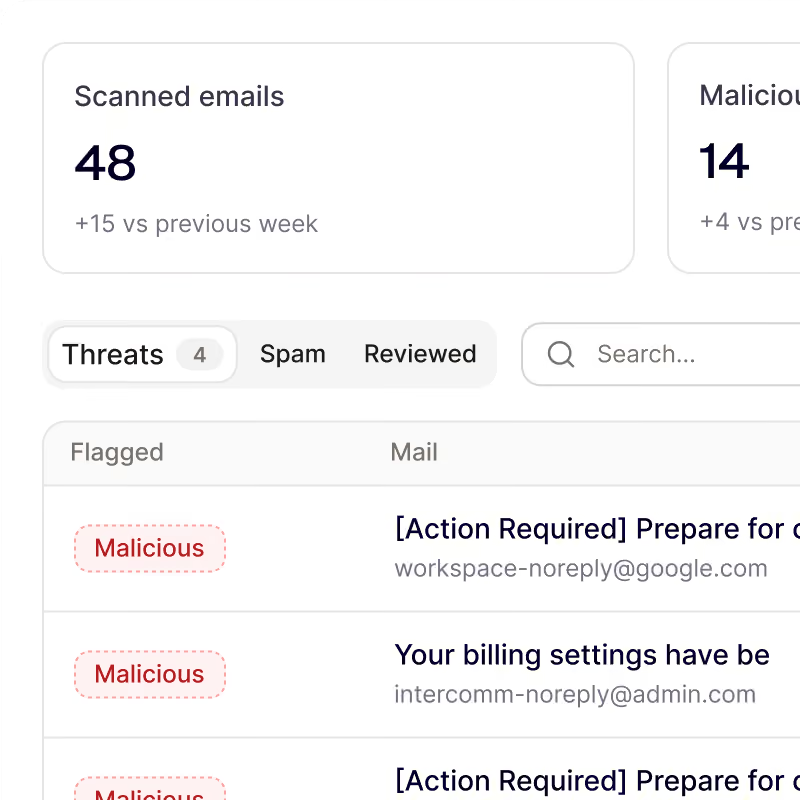
See results in minutes
Noon triages every email into threats, spam and reviewed. You see which ones need a second look, or enable auto remediation.


Your workforce, secured by noon
Be first to protect your people and their devices with Noon.
Frequently Asked Questions
Questions about getting started with Noon Security, phishing, Shadow AI or general employee security
How far back does the first scan go?
How far back does the first scan go?
It covers the 3,000 most recent messages in each connected mailbox. After that, Noon checks new mail as it arrives, in both Gmail and Microsoft 365.
Will Noon change mail as soon as I connect?
Will Noon change mail as soon as I connect?
No. Connecting a workspace is read-only. Noon asks for permission to change mail the first time you move a message. Until you turn on automation, your security team approves what Noon recommends. When Noon isn't confident about a message, it leaves the decision to the team.
What email does Noon keep?
What email does Noon keep?
Only malicious mail, so you have proof of what Noon found and why. Safe mail isn't saved, but its verdict and the overview counts remain. Messages that still need a decision stay available until someone reviews them.
What happens when Noon flags a message?
What happens when Noon flags a message?
Malicious mail goes to Threats. Suspicious mail goes to Spam. Open the message to see why it was flagged, then decide what to do with it. If you've given Noon permission to manage mail, it can move the message to trash, to spam, or back to the inbox.
What does Email Protection catch?
What does Email Protection catch?
Phishing, business email compromise, credential harvesting, and malware. For each message, Noon checks the authentication, who the sender claims to be, where each link goes, what the linked page does, any attachment, and what the message asks you to do.